

Exciting news. AppVentiX 5 is now available, marking a major milestone in the evolution of our platform. This release strengthens the core capabilities of AppVentiX in modern application delivery, including the introduction of an App-V Migration Toolset, while also unveiling Workspace Control to extend our focus beyond applications to the entire digital workspace.
AppVentiX 5 enhances Application Delivery, Workspace Control, and the platform, enabling unified management of applications and workspaces from a single solution. Building on support for App-V, MSIX, and AppAttach, it delivers consistent, real-time management across on-premises, hybrid, and cloud environments.
What’s New in AppVentiX 5
Below, you’ll find the key highlights of this release, followed by screenshots that provide a closer look at the new functionality in action. If you are new to AppVentiX or want to explore the capabilities of version 5 in more detail, we recommend visiting the Application Delivery, Workspace Control, and Solutions pages to see how AppVentiX can support your next phase of workspace modernization.

Introduction to the new Workspace Control capabilities
This release introduces powerful new Workspace Control features that give administrators complete control over the user environment while keeping the experience simple and transparent for end users. Below is a guided overview of the key additions.
User Preference Management
Administrators can now centrally configure and deploy User Preferences to fully control the user workspace without the need for complex logon scripts or multiple tools. AppVentiX supports workspace management across on-premises (Active Directory), cloud (AVD\AWS\Windows365), and Entra ID only (laptop) environments, as well as offline and non-persistent (VDI) scenarios. All settings are managed from a single, intuitive interface, making it easy to create, edit, and assign configurations to users or devices.
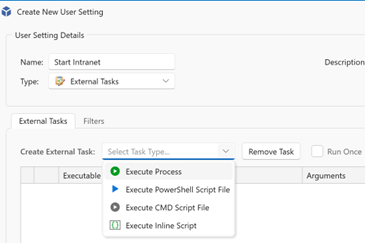
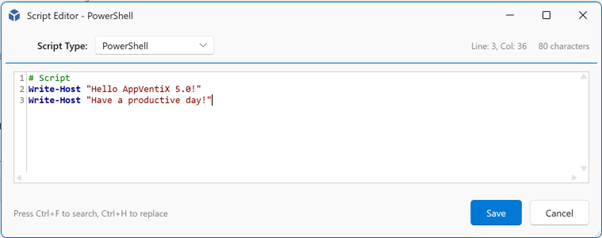
Create external tasks with an embedded script editor, no need to launch scripts from a network share:
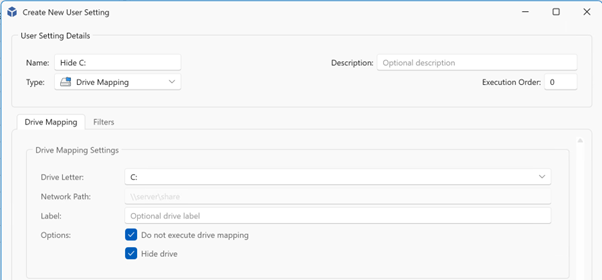
Managing drive mappings and hiding drives is now easier than ever:
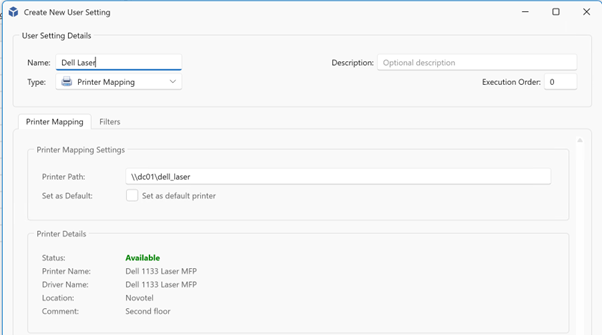
Printer mappings can be managed in the same intuitive way:
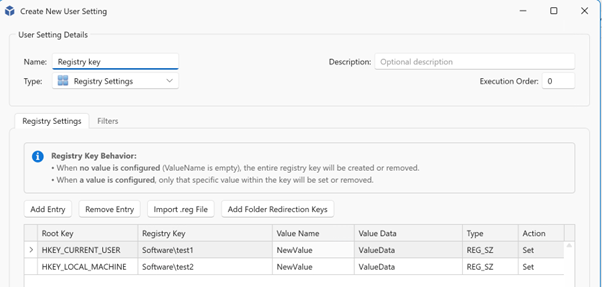
Registry keys can easily be managed, both user and machine registry keys are supported:
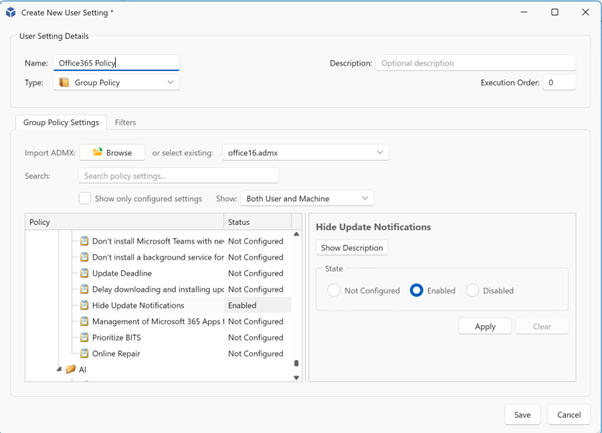
Group policies (ADMX) can be imported, you can easily search for settings or set a checkbox to show only modified settings:
Shortcut management
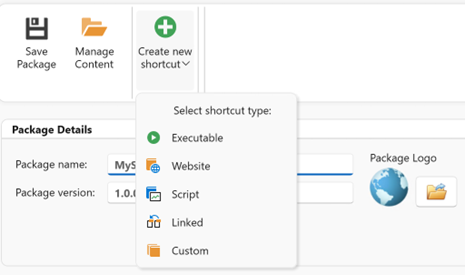
By leveraging MSIX, managing shortcuts becomes simple and flexible. You can create shortcut packages that include executables or script files, allowing you to launch virtually any application or task.
Simply create a new package and select “Create new shortcut” to configure the target. Shortcuts can start executables with or without arguments, whether they are included inside the package or located externally on the system.
For example, you can create a shortcut that launches Microsoft Edge and automatically opens a specific website.
Our dual compatibility empowers organizations to manage both legacy and modern formats under a single, unified platform, ensuring operational efficiency and adaptability.
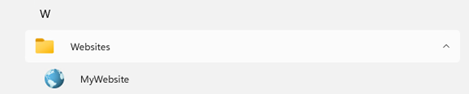
Added to the startmenu including support for startmenu folders:
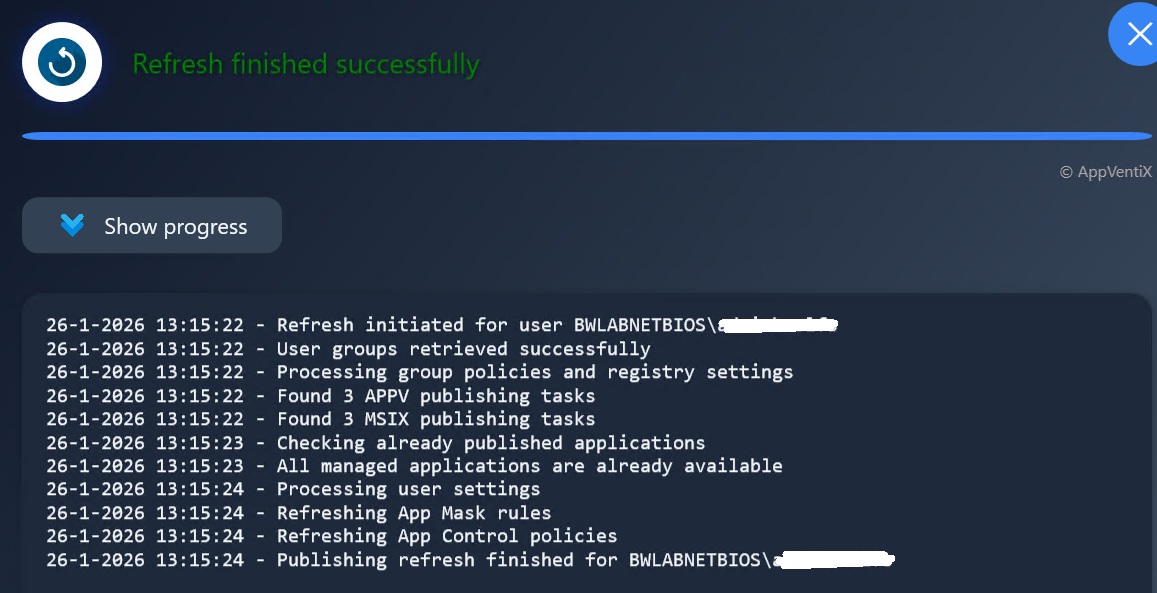
New Workspace Refresh Progress options
End users can quickly refresh their workspace and applications at any time using the new Workspace Refresh shortcut in the Start Menu, allowing changes to be applied instantly without logging off or rebooting.
This refresh updates:
• Assigned applications
• App Masking rules
• App Control policies
• User Settings (when configured to apply on refresh)
The Workspace Refresh shortcut in the start menu:

Optionally the Workspace refresh progress can be displayed:
Progress Visibility at login
Also during login the progress will be displayed, this is enabled by default but can be disabled in the agent settings.
This gives users real-time feedback while:
• Applications are published
• Settings are applied
• Policies are processed
A small login progress window is displayed above the system tray, providing real-time feedback during session initialization.
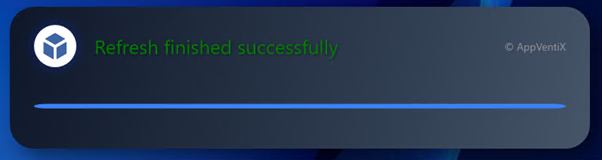
Both refresh windows are localized in the following languages: English, Dutch, German & French.
Microsoft App Control Management
AppVentiX now includes centralized management for Microsoft App Control for Business (WDAC), enabling administrators to secure endpoints while simplifying policy creation.
Key capabilities include:
• Centralized event monitoring
• Visibility into blocked processes
• Direct policy creation from captured events
• Learning mode to automatically build baseline policies
This dramatically reduces the time and effort required to implement application control securely.
Centralized App Control policy management with Real-Time Assignment and Enforcement
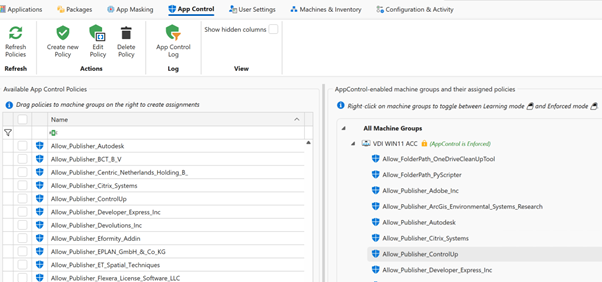
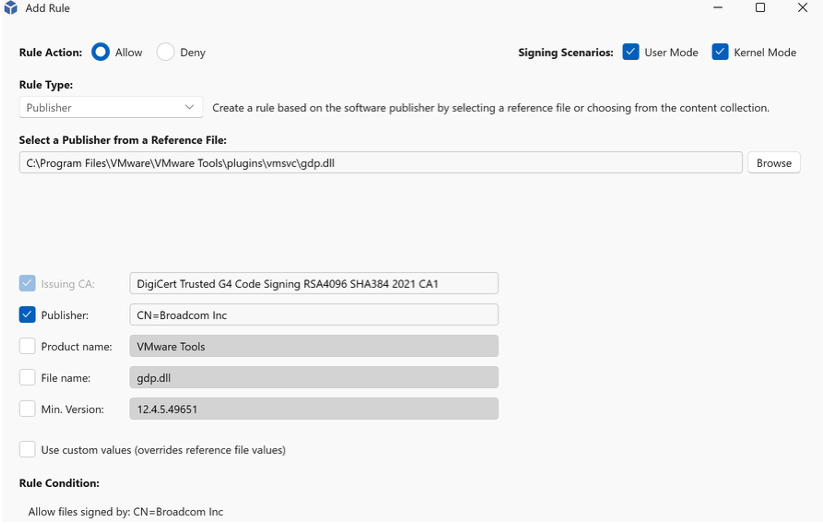
App Control policies can be created from audit of block events or they can be created manually. All rule types are supported.
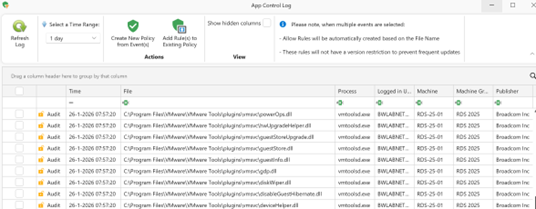
Centralized event monitoring to collect events.
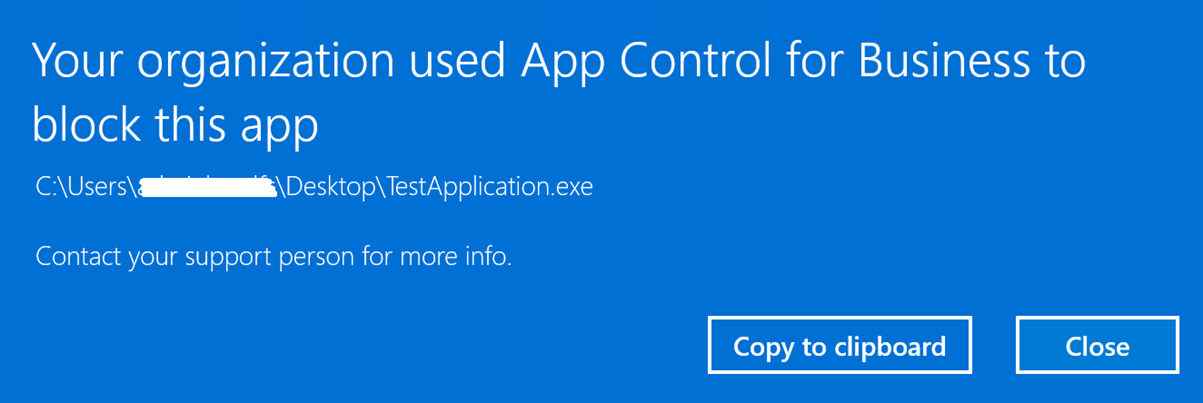
After configuring App Control in learning mode, the machine group can be switched to Enforced Mode. When a user attempts to launch an unauthorized application or process, the following notification is displayed:
Each block event is centrally recorded for auditing and analysis. Administrators can review the event and directly create an allow policy from it. After a Workspace Refresh, the updated rule is applied immediately, enabling the application or process to run.

New RBAC roles
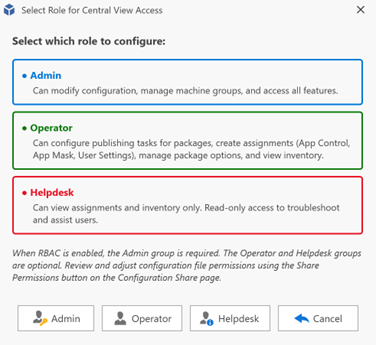
Role Based Access Control (RBAC) allows you to delegate access to the AppVentiX Central View console safely and efficiently.
With configurable roles, you can:
• Restrict visibility to specific areas
• Limit configuration permissions
• Assign responsibilities to helpdesk or operations teams
This ensures better governance and reduces the risk of accidental changes.
RBAC configuration
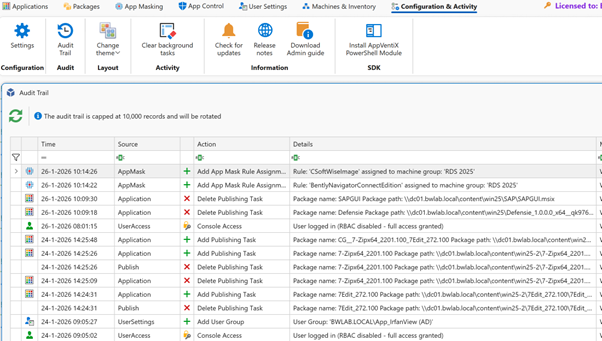
New Audit Trail
All administrative actions are now logged in a comprehensive audit trail.
You can track:
• Who made a change
• What was modified
• When the change occurred
This provides full accountability and simplifies troubleshooting and compliance reporting.
Audit trail view
Improved FSlogix App Mask management
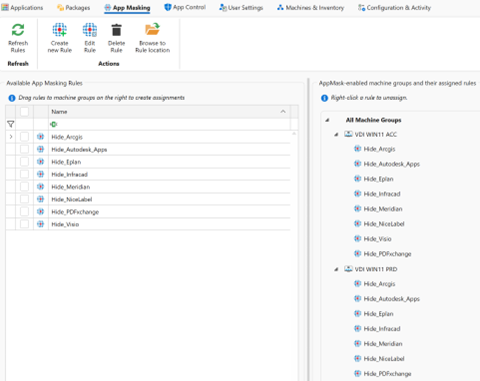
App Mask rules can now be assigned to machine groups with an intuitive drag-and-drop action, simplifying targeting and deployment. Additionally, rules are now stored in one location, removing the need to manage multiple content shares
Take control now with the latest AppVentiX release.
Replace your traditional App-V infrastructure with AppVentiX and maintain full App-V support while gaining real-time control and enhanced functionality. Manage App-V and MSIX together in one platform and migrate to MSIX gradually when it suits your organization.